Home Studio Setup Guide: What You Actually Need in 2026
Every week I get DMs asking about my studio setup. And every week I tell people the same thing: you don't need as much gear as you think. Here's what actually matters when building a home studio in 2026.
The Essentials (Start Here)
Computer ($800-$2,000) Your DAW (Digital Audio Workstation) runs on your computer, so this is your most important investment. You need: - **Minimum**: 16GB RAM, SSD storage, quad-core processor - **Recommended**: 32GB RAM, 1TB SSD, Apple M-series or Intel i7/i9 - Both Mac and PC work great. Choose what you're comfortable with.
DAW Software ($0-$600) This is where you make your music. Popular options: - **FL Studio** ($99-$499): Industry standard for beat making. Lifetime free updates. - **Ableton Live** ($99-$749): Great for live performance and electronic music. - **Logic Pro** ($199): Mac only, incredible value for what you get. - **GarageBand** (Free): Comes with every Mac. Surprisingly powerful for beginners. - **Reaper** ($60): Budget-friendly professional DAW.
Audio Interface ($100-$300) This connects your microphone and headphones to your computer with professional audio quality. Good starter options: - Focusrite Scarlett 2i2 ($170) - Universal Audio Volt 2 ($140) - PreSonus AudioBox ($100)
Headphones ($50-$300) You need closed-back headphones for recording and open-back for mixing: - **Recording**: Audio-Technica ATH-M50x ($150) - **Mixing**: Beyerdynamic DT 990 Pro ($160) - **Budget**: Sony MDR-7506 ($80) — industry workhorse
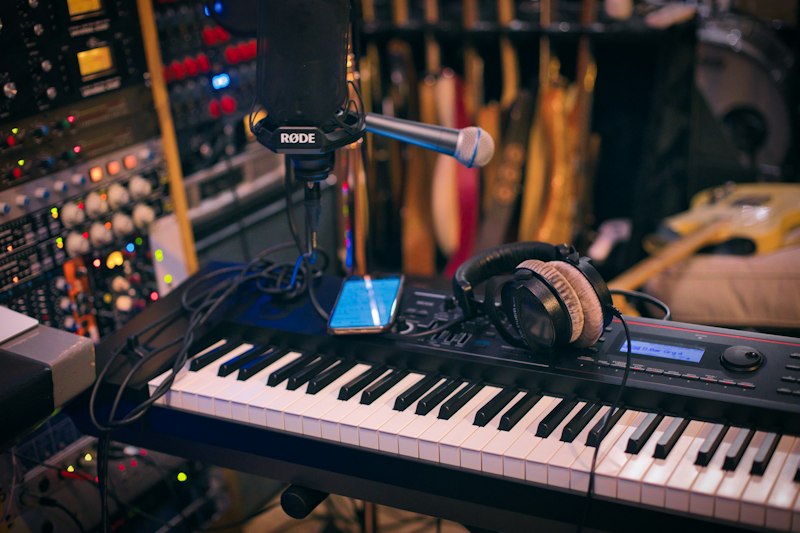
Microphone ($100-$500) For recording vocals: - **Budget**: Audio-Technica AT2020 ($100) - **Mid-range**: Rode NT1 ($270) — incredibly quiet, great for home studios - **Premium**: Neumann TLR 102 ($500) — if you're serious
Nice to Have (Add Later)
Studio Monitors ($200-$600 per pair) Speakers designed for accurate sound reproduction: - Yamaha HS5 ($200 each) — flat response, great for mixing - KRK Rokit 5 ($180 each) — slightly hyped low end, popular in hip hop - Adam Audio T5V ($200 each) — excellent detail
MIDI Controller ($50-$200) For playing melodies and programming drums: - Akai MPK Mini ($60) — portable, great for beginners - Native Instruments M32 ($70) — sleek and functional - Akai MPC One ($350) — standalone beat machine
Acoustic Treatment ($100-$500) Foam panels and bass traps improve your room's sound: - Start with corner bass traps (biggest impact) - Add absorption panels at reflection points - DIY panels with rockwool are cost-effective
What You DON'T Need
- An expensive desk: A sturdy table works fine
- Outboard gear: Plugins handle everything now
- A vocal booth: A closet with hanging clothes works surprisingly well
- Every plugin ever made: Stock plugins in modern DAWs are excellent
- RGB lighting: Looks cool on YouTube, doesn't improve your music
Total Budget Breakdown
Bare minimum to start: ~$500 (computer you already own + free DAW + budget headphones + cheap mic)
Solid starter setup: ~$1,500 (decent computer + DAW + interface + headphones + mic)
Professional home studio: ~$3,000-$5,000 (powerful computer + DAW + interface + monitors + mic + acoustic treatment + MIDI controller)
My Biggest Advice
Don't wait until you have the "perfect" setup. Start with what you have and upgrade as you grow. I made my first beats on a Pentium II with a cracked copy of FruityLoops and a $20 pair of headphones. The gear matters less than the creativity and work ethic behind it. Get started, make beats, and level up your tools as your skills improve.


